Ability to Create Restricted Groups
Stay is enhanced to allow users to restrict groups from being created through the online booking channels. Reservations for restricted groups can only be created directly by the users at the property and through Amadeus CRS (ACRS).
Contact Agilysys to configure the ACRS interface at the property.
Feature Setting
The following new feature setting has been introduced to enable users to create restricted groups:
-
Name: Housing Restricted
-
Value: Must be enabled
-
Comments: License is not required
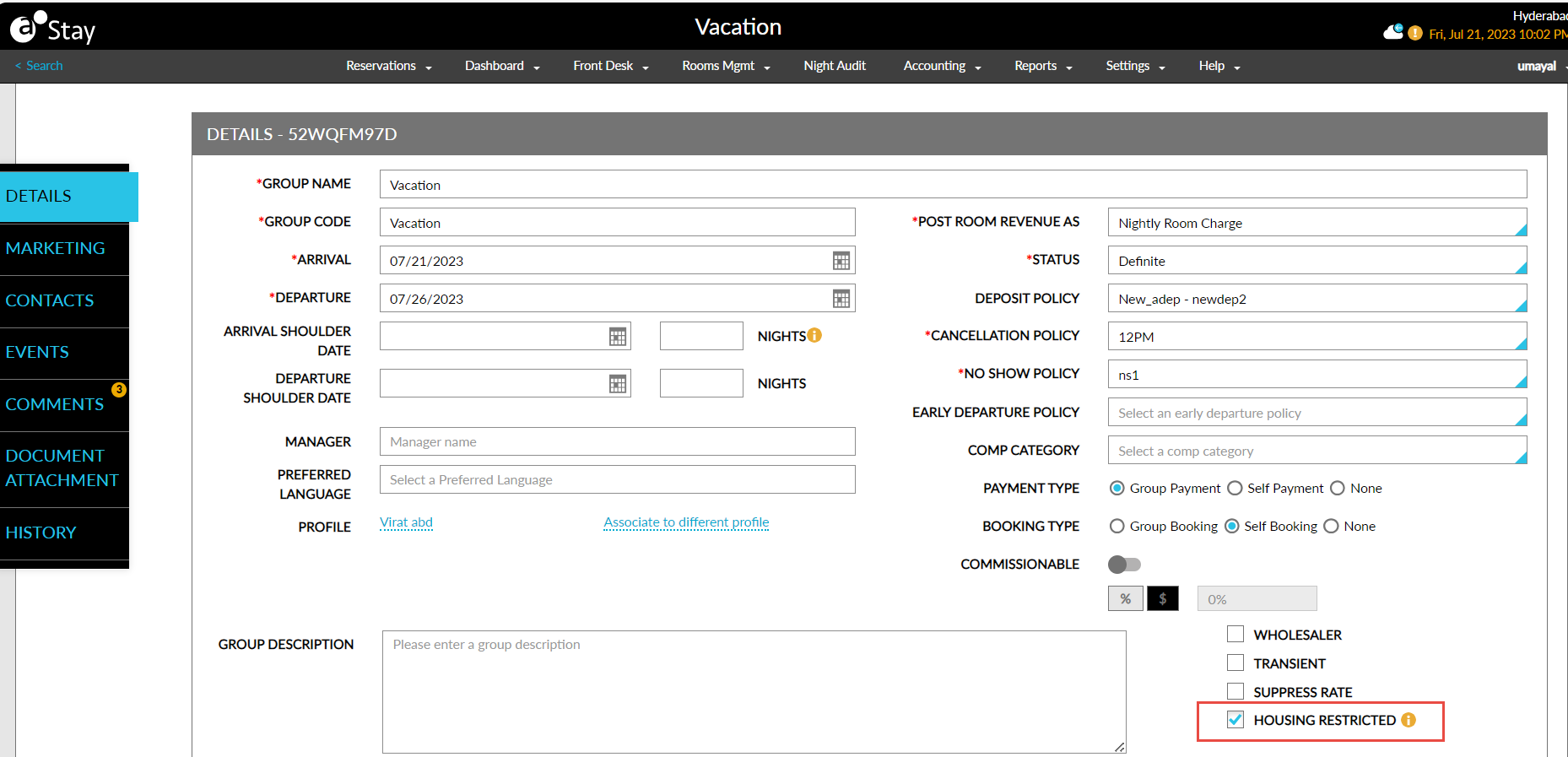
Users with the Write Group Setup permission can select the Housing Restricted checkbox in the Group Booking tab for the group. When this checkbox is checked or unchecked by a user in Stay, the Housing Restricted flag for the group is turned on/off in Amadeus CRS (ACRS). Similarly, when the flag is turned on or off in ACRS, the Housing Restricted checkbox for the group is checked/unchecked in Stay.
Only when the Housing Restricted checkbox for the group is checked, group reservations are sent to Stay from ACRS.
Users without this permission cannot check/uncheck the Housing Restricted checkbox and the following message is displayed: The respective user does not have sufficient permissions to perform this action. Please contact the administrator to request the required permission.
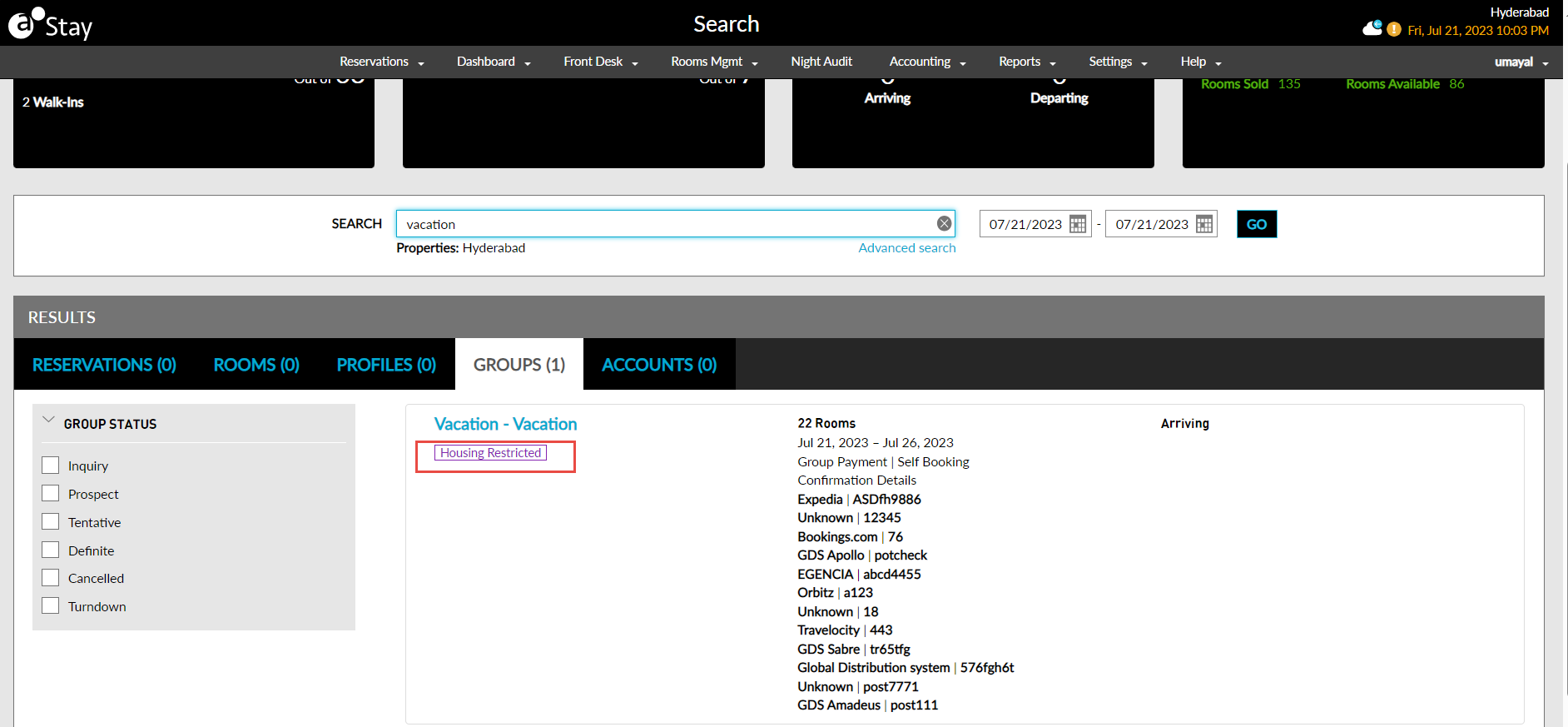
The restricted groups are indicated by a Housing Restricted indicator in the Search and Group Rooms Control screens. This indicator helps users to easily identify and view the restricted groups. The reservations for the restricted groups can be created and modified only from Stay. When users try to create/modify the reservations for restricted groups from any third-party source, the following messages are displayed: Group Code - Unable to Reserve Housing Restricted Group and Group Code - Please note that users are not permitted to edit reservations when housing restrictions are enabled. These restricted groups are also displayed in the Groups Summary Report (Dynamic).
To support this enhancement, the following changes have been made:
-
A new checkbox, Housing Restricted, has been added to the Group Booking tab of the groups. When enabled, users can restrict groups from being accessed through the online booking channels.
-
A new column, Housing Restricted, has been added to the Groups Summary Report (Dynamic). This column displays the value Y for restricted groups and the value N for non-restricted groups.